01LIVE
Low-latency live view
- RTSP via LibVLC: native stream quality without transcoding
- TCP by default, with UDP available for each camera
- Hardware decoding and adjustable caching
- Live-Sync and one-click Re-Sync to keep feeds in step
Low-latency RTSP viewing, one-click room recording, automatic camera discovery and a built-in MQTT motion sensor. Made for escape rooms and anyone who needs a clear view of multiple IP cameras on a Windows PC.
Full version · No registration required · Windows 10/11 · 64-bit
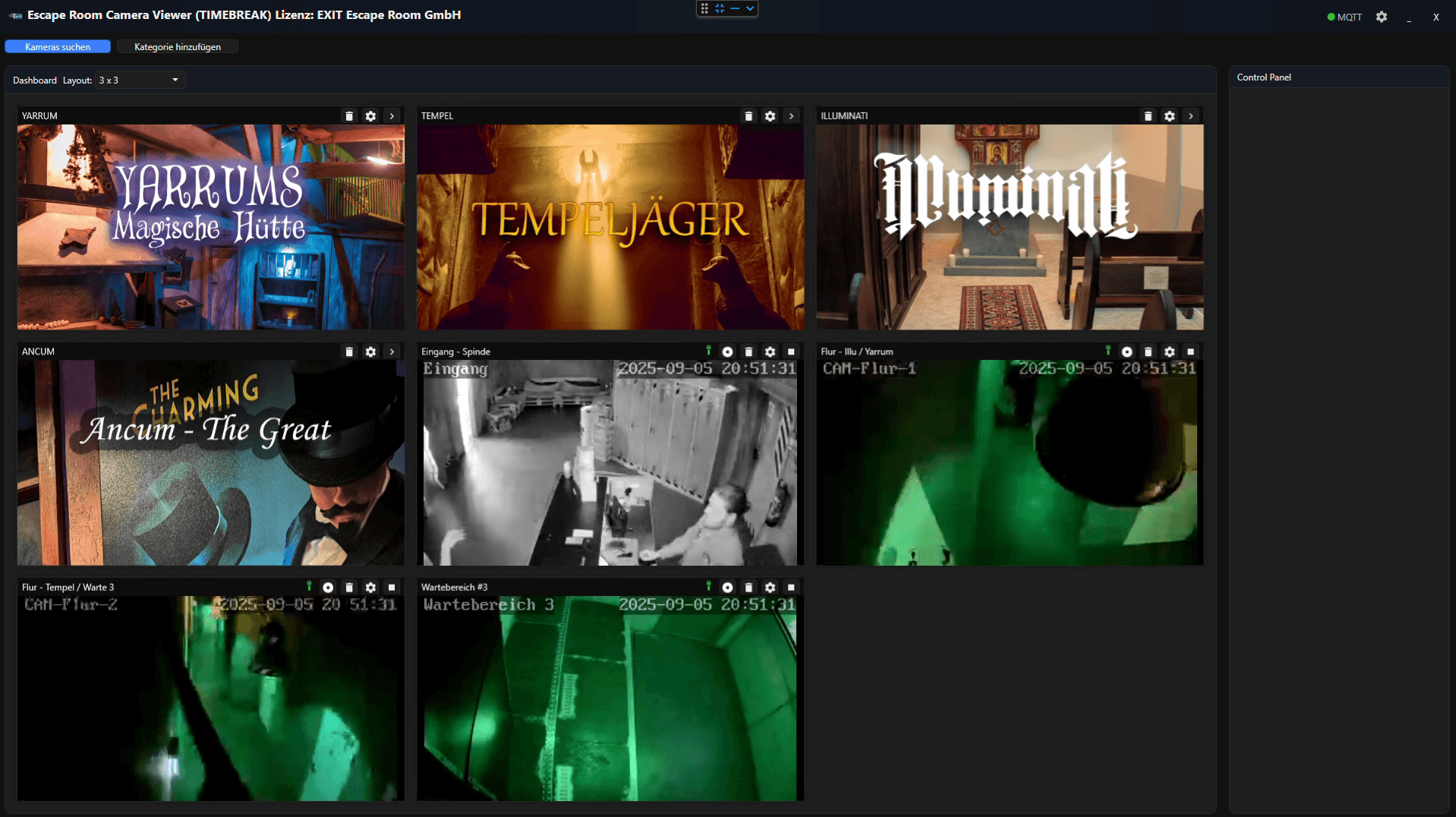
Camera Viewer is a Windows desktop application for viewing and recording RTSP IP cameras. Group cameras by room or area, build a multi-camera dashboard and save recordings to a local drive or NAS.
Developed with escape room control rooms in mind, it also works for other camera-monitoring setups wherever compatible RTSP streams are available.
Reliable streaming, a clear dashboard and automatic recovery keep your cameras in view throughout the day.
Install Camera Viewer from Microsoft Store on your Windows computer.
Scan your network with ONVIF and use the built-in template database to find the right stream URLs.
Arrange your cameras by room or area and follow every feed in real time.
Pay once for each computer and keep using version 1.x for life. Connect as many cameras as you need.
No subscription. Lifetime access to every 1.x release.
Secure checkout · License key and Stripe receipt by email after payment
Not sure yet? Start with a free 14-day trial
Each computer running Camera Viewer needs a license. There is no limit on monitors, cameras or rooms.
Open the desktop app, click Registration and enter your company name and license key. Connect to the internet once to activate, then keep using the viewer offline.
Replacing a computer? We can release its license slot. Get in touch if you need more than 50 computers or help getting set up.
Talk to usTry the full version without registering. Buy a license whenever you are ready to keep using it.
 Download from Microsoft Store
The Store version receives updates through Microsoft Store.
ESCAPE ROOM Camera Viewer is CCTV software for Windows. It displays RTSP IP camera feeds in a multi-camera dashboard, groups cameras by room or area, and records video to a local drive or NAS.
No. It was developed for escape room operators, but anyone with compatible RTSP IP cameras can use it for their own monitoring setup.
The application runs on 64-bit Windows 10 and Windows 11 and plays compatible RTSP camera streams. ONVIF discovery helps find cameras on your network. Camera compatibility depends on the available stream and configuration; use the 14-day trial to check your setup.
Layouts range from 2×2 to 8×8, with up to 64 live tiles per view. The license does not limit the number of configured cameras. Practical performance depends on your computer and camera streams.
Yes. You can record individual cameras or a whole group. Main streams are saved as MPEG-TS files in separate camera folders on a local drive or NAS.
A license costs €49 per computer as a one-time payment and remains valid for version 1.x. All 1.x updates are included. The full application can be tried free for 14 days.
An internet connection is required for the first license activation. License checks then run locally. To view or record video, the application still needs a network connection to the cameras.
We help you set up dependable camera monitoring, for your escape room or any other use.
Or email us directly:
support@escaperoom-camera-viewer.com